

How a tree removal inquiry becomes a booked job
A homeowner wants a leaning tree looked at before replacing a fence. They search for tree removal and land on a page that shows relevant work, names the towns you serve, and gives them a way to ask about an estimate. They send the property address and a photo taken from where they already are.
The office checks access, nearby property and when the customer is around. The estimator can arrange a visit and explain what the work and cleanup include. A separate stump grinding option makes it clear what happens to the stump and how that affects the quote.
A follow-up can check that the estimate arrived and bring questions about access, timing or cleanup back to the estimator. After approval, the office confirms the date in the same thread. Once the crew finishes, a review link gives the customer a way to describe the work and how the site was left.
Tree service pages for removal, pruning and storm cleanup
Removal, pruning, and stump grinding can send the crew to the same property for very different work. A removal page can explain the estimate visit, the access questions you ask, and what happens to the wood afterward. A pruning page can show common goals and finished examples. A stump grinding page can explain how customers should describe the stump and access.
Storm cleanup, where offered, has a different place on the site. The phone number is visible and the page explains how the office checks crew availability. Someone with routine pruning can still use the quote form without going through dispatch.
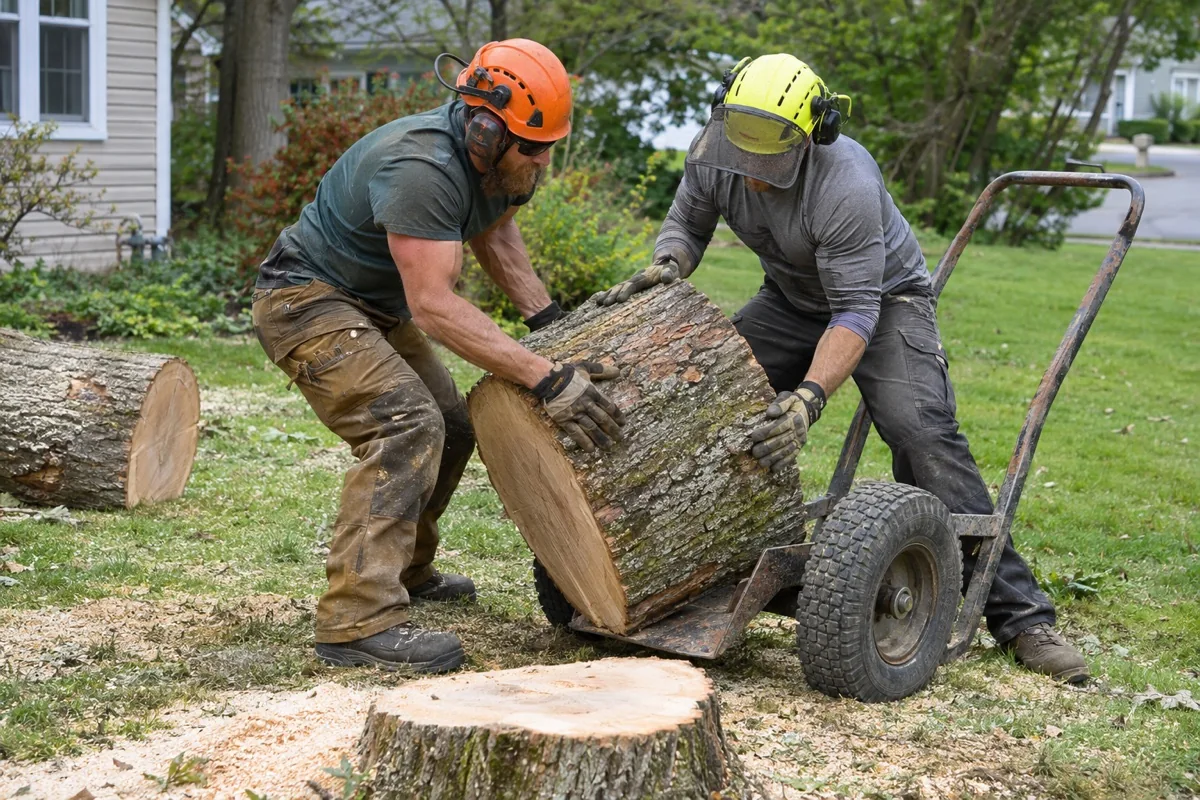
A job photo can show the space the crew had to work in, how close the tree was to a fence, or the work involved in getting a trunk section out. The photo after cleanup answers another question: what the property looks like when the crew leaves.
How SystemsPal handles calls and tree work estimates
A 30-minute look at the website, phone and follow-up.
What access and cleanup mean for a tree quote
The first request can hold the town, the number of trees or stumps and a short description. Someone planning a job around a fence installer may already know the deadline. The office can use those details to decide which estimator to call in.
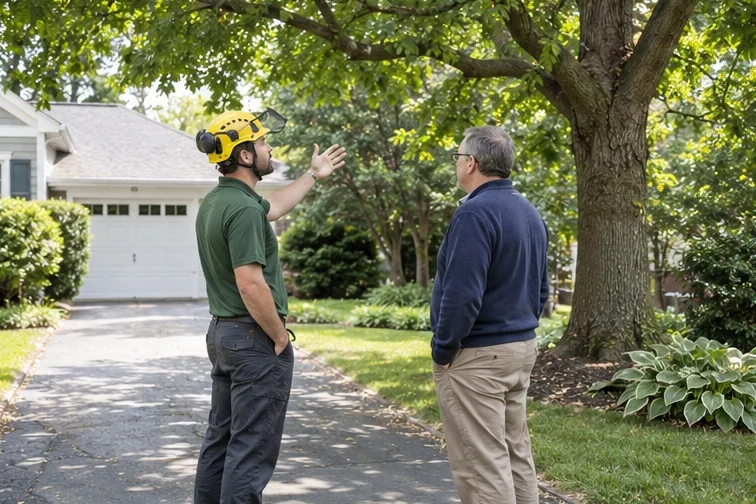
At the visit, one owner may want the debris taken away and another may want some wood left. A narrow gate or access from the neighbor’s property can change the schedule. That information can be recorded before the quote goes out, while everyone is looking at the same job.
The quote and the job confirmation can carry the access and cleanup details forward. When the crew sees the booking, it can tell where the truck can go and what the customer agreed would be taken away.
Local search in the towns the tree crew serves
Searches for tree removal, stump grinding and pruning can land on different pages. Each page shows the work, the towns the crew covers and a way to reach the office. A homeowner who just noticed a damaged limb can still get to the phone number quickly.
Current business details and clear photos help someone looking at several tree services on Google. An area page can also explain where the crew takes routine work and what makes a larger job farther out possible.
Different towns can bring different work. One area may have regular pruning calls and another may produce larger removals. Looking at booked visits and travel time together shows where adding a job fits the crew and equipment.
Storm calls and planned jobs in the same inbox
A storm can put a whole morning’s calls on the phone at once. An automatic reply lets the customer send the address and a short description. The office can see the request, check what the crew can take and confirm any timing directly.
A planned job may come back with a question about what happens to the wood or whether stump grinding is included. The estimate and conversation stay together so the office can get that question to the person who priced the work.
An influx of storm calls doesn’t always turn into jobs the crew has room to do. Estimate requests, completed visits and booked jobs show where the calendar actually filled. They also show whether a recurring source is worth keeping in front of.
Missed-Call Text-Back · Lead Follow-Up
Where ads and referrals fit tree work
When a crew has room for regular pruning, paid search can bring nearby homeowners to a pruning page with finished jobs and a quote form. Storm cleanup has its own capacity and coverage. The campaign fits the crews and equipment that are actually available.
Tree work often starts with a landscaper, a property manager or a neighbor who saw the crew work. A relevant removal or pruning page gives them something to pass along and tells the new customer what the crew covers. The referral source can stay with the request.
Booked work shows what kind of jobs an ad or a referral really brings. A regular pruning account two streets away can fit a route that a long drive for one small stump can’t. That difference is visible when the original request and the schedule are connected.
What a finished tree job shows the next customer
After the crew leaves, a customer can describe what was done, whether the office kept them updated and how the yard was left. A review request gives them one short link while the job is still fresh.
A landscaper or manager may hear about another removal before the homeowner searches. A service page gives them a place to send the customer, with examples of the work and the number the office answers.
What a tree removal quote can tell the crew before arrival
A homeowner approves the removal, then calls to ask if the logs can stay behind the shed. The crew is already planning where it can bring in the equipment. The office can keep the new request, the original access notes and the agreed cleanup in one place. The crew sees the change while it can still plan for it.
A stump job on the same street may be a much shorter visit. The earlier call still matters because it explains the gate width or whether the customer will be home. A couple of useful details on a booked job save a lot of back-and-forth when the truck is already on the way.
A storm brings several kinds of calls at once
Rain and wind go through town overnight. By breakfast the office has a message about a branch in a driveway, a question about a damaged tree near a fence and a routine pruning request from someone who had planned to call anyway. Those calls land on the same number but need different replies. One may need a crew as soon as the schedule allows. Another can start with an estimate.
A missed-call reply gives the caller a way to send the address and a few words about what happened. The office can see the requests together and confirm timing after checking the crew. The person on site can keep working while someone else sees which calls have an answer and which are still open.
A storm cleanup page can explain where the company goes and whether the office can take new calls that day. It also gives the customer a way to place a routine request when their job can wait. Availability can change in a few hours without changing the whole website.
How an estimate carries the property details forward
A homeowner planning a removal may say the tree is in the back yard. At the visit, it turns out the gate is narrow and the driveway has to stay clear. The estimator can note where access is possible, what the customer wants done with the wood and what’s included in cleanup. A quote that describes those things gives the customer something specific to approve.
The office can keep the written scope with the original photos and address. If the homeowner calls after talking with a neighbor about access, that change can sit beside the earlier conversation. When the crew sees the booking, it knows which entrance and cleanup arrangement everyone agreed on.
A different job might be one stump with good access from the street. The estimate can reflect that shorter visit. The form and the call give the office enough to see which type of job it is before a truck or estimator is sent across town.
When pruning work fits an existing route
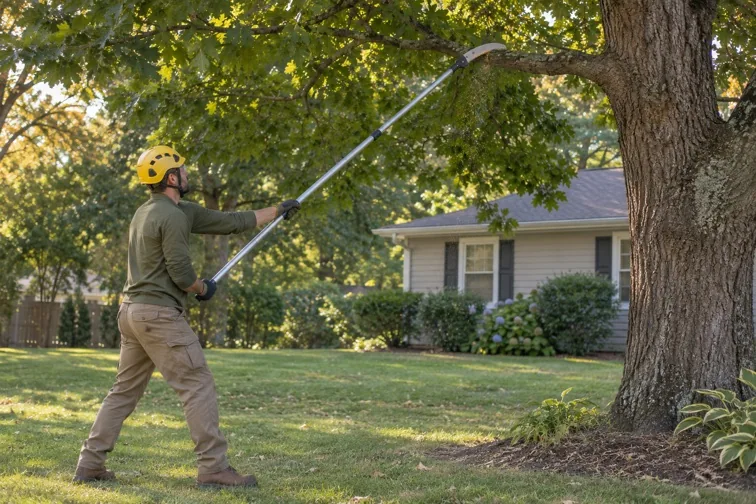
A homeowner finds the company through a page about pruning and asks about a shade tree in front of the house. The estimator already has a visit two streets away on Thursday. The office can check whether a second stop fits while it’s talking to the customer. That can be a useful booking even when it looks smaller than a removal from the other end of town.
Local pages are helpful when they reflect where the crew actually works. A page may show a nearby removal, a prune on a similar property or the towns the crew travels to for stump grinding. Those details help the homeowner decide whether to call. They also give the office an idea of which pages are bringing inquiries close to jobs it already has.
The kind of work can change how far the company travels. A larger removal may fit farther out, while routine pruning or one stump may make sense only on an existing route. A clear service area can explain that difference without asking the homeowner to guess from a long list of towns.
The work a photo can show a homeowner
A yard after a removal tells one part of the story. A photo taken during the work can show a crew moving a cut section, the room they had to work around the trunk, or the equipment they brought into a tight space. A brief description beside the image can tell the homeowner which part of the job they’re looking at.
Someone comparing estimates may want to know whether logs are taken away or left on the property. A photo of a similar job gives them a useful question to ask. The estimator can discuss what’s included and put that in writing. The approved scope is what the crew can refer to when it arrives.
A review adds details the photos don’t carry. The customer might mention a call before arrival, work near a shared fence, or how the driveway was left. They can share it through a link once the job is finished. Someone looking at the company the next week can see what the work and communication were like together.
When a larger removal comes back weeks later
A removal may take time to approve even when the homeowner is ready to talk. A fence contractor may be involved. A neighbor may need to agree to access. The homeowner may be comparing two estimates that handle the stump and the wood differently. A follow-up can be tied to the question that actually held up the decision.
When the customer calls back, the office still has the quote, the property notes and the earlier date they discussed. If the job can move ahead, there’s somewhere to confirm the booking. If the scope has changed, the estimator can see what was approved before updating it.
A company can see which estimates became work without treating every quiet week as a bad one. Storm jobs can book quickly while planned work takes longer. A property manager may call twice to confirm access before scheduling several jobs. The original request, estimate and booked visit give the office a better view of how each type of work comes in.
The next tree job can come from the same property
A homeowner who booked a removal may call in a year about pruning a different tree. Their previous booking can give the office a starting point for access and where the truck can park. The new job can still have its own notes, estimate and dates. The customer can talk to the same office without having to remember which crew member they spoke to.
Property managers can send requests from multiple sites. An address and a short note about which tree they mean help the office keep those jobs separate. When the manager calls to approve one quote and hold another, the estimator can see both in the record. It’s easier to keep the work moving when approvals and open questions sit beside the property they belong to.