
How a driveway cleaning inquiry becomes a booked wash
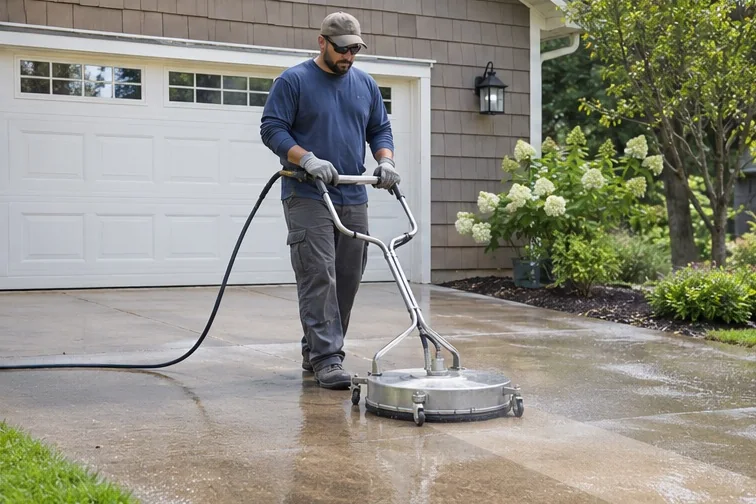
A homeowner has family coming on Saturday and wants the driveway and front walk cleaned. They find your driveway cleaning page, see a photo of a similar property, and send the address with a note about their deadline.
The office checks the next route, confirms whether the job includes both the driveway and the walk, and asks about access. If there’s a slot, it can quote the work or arrange a short visit. If the route is full, the homeowner can find that out before making other plans.
Once the homeowner approves, the office confirms the surfaces, arrival window and contact number. After the wash, the customer can get a review link. A finished photo, shared with permission, can show the next customer what a similar job looked like.
Driveways, house washing and commercial surfaces
House washing, concrete cleaning, and commercial exterior cleaning deserve different explanations. A driveway page can show front walks and driveways. A house washing page can describe the surfaces you handle and what the customer should prepare. A commercial page can explain hours, access, and how to request service for a property.
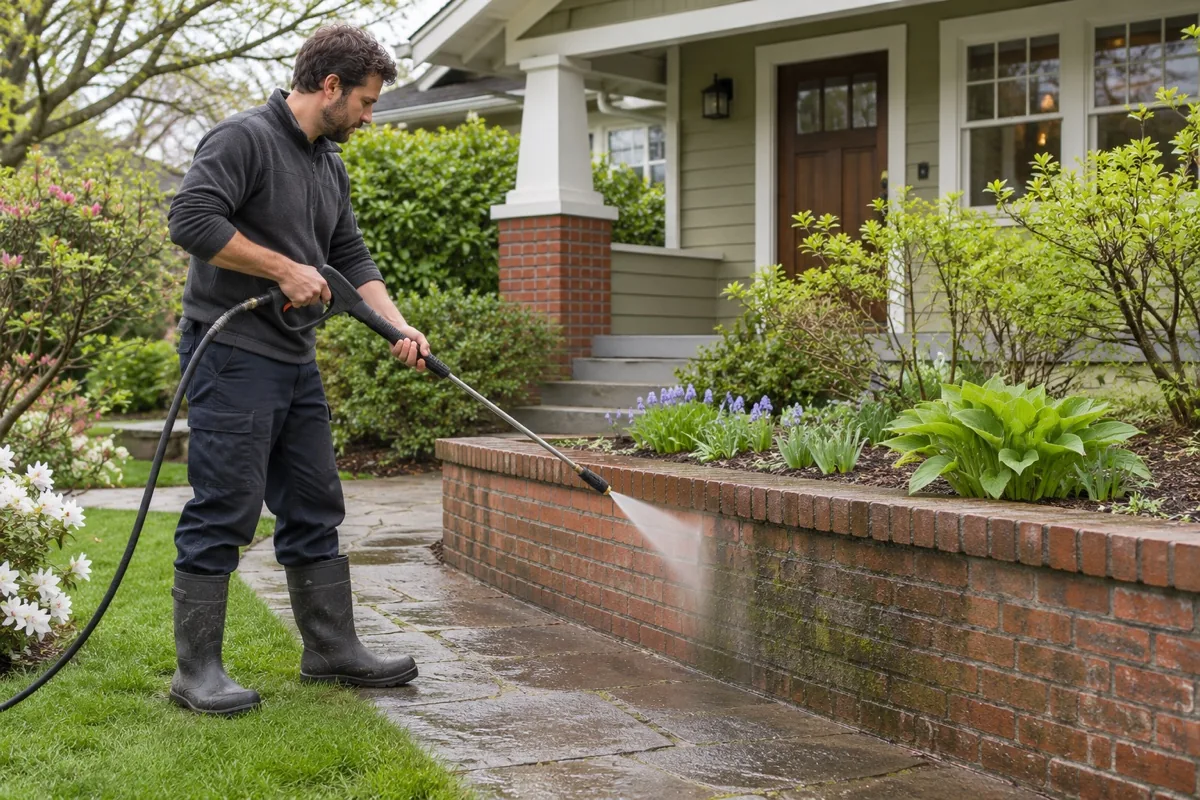
Customers might search for power washing, pressure washing or soft washing. Each page can use the terms that fit the work and explain what the crew washes in language the customer recognizes.
A driveway photo is more useful with a line about whether the front walk and steps were included. The same angle before and after makes the result clear. A customer looking at a similar driveway has a better idea of what to ask about.
How SystemsPal handles pressure washing quotes
A 30-minute look at the website, phone and follow-up.
What photos and forms tell the office about the job
A customer may point to a before-and-after and say they want the same thing. A caption explains whether the picture shows a driveway, walk or patio. A quote link and service area beside the examples give them enough to send the office a useful request.
A house wash can turn into a request for the steps and a patio. The form can let the customer mention more than one surface. The office can ask for a photo or a visit if it needs a closer look before it prices the work.
Once the quote is approved, the office can confirm what the crew is washing and how to get to it. The crew sees the scope before it arrives. The customer can also see what they approved without looking through old messages.
Local search on the streets the crew can reach
Someone nearby may search for driveway cleaning, a house wash or a company to wash a storefront. Each search can lead to a page with relevant photos, coverage and a visible phone number. A short form makes it easy to ask about a slot on a phone.
Current hours and photos on a Google Business Profile give the customer a quick look at the business. The website can show recent local work, the surfaces the crew handles and whether the area is on a usual route.
A small job well outside the route can take the time of two that are close together. Several properties at the same address might make a longer trip worthwhile. The ZIP code and scope help the office make that call before it confirms a date.
The phone and the quote while the crew is washing
A missed-call text can ask for the address, surface and deadline. The office can decide whether it needs photos, a visit or a quick quote. The reply stays with the original call, so the customer doesn’t have to go through it all again.
An estimate may cover the driveway, steps and siding. The office can see what was quoted and who sent it. A follow-up has room for the customer to ask about one surface, and the booking can carry the approved scope and access details forward.
When a page brings in work the crew seldom takes, the inquiries and bookings usually tell different stories. A group of repeat commercial jobs may be more useful than a high number of calls outside the route. The office can see that in the job outcomes.
Missed-Call Text-Back · Lead Follow-Up
Where advertising and repeat work fit the route
An ad for driveway cleaning can land on a page with real work and a direct quote option. The useful result is a booking that fits the route. That shows whether the campaign is doing more than starting conversations.
A homeowner may see the driveway next door and ask who cleaned it. A link to the work gives the neighbor something to pass along. A returning property manager can use the same number to ask about another location.
An open route slot gives the office a reason to reach a customer who may need another wash. The old job says which surfaces were cleaned. The new reply tells the office what has changed and whether the visit fits the day.
Finished washes bring the next customer in
A review after a wash can mention when the crew arrived, how the work was explained and how the property looked afterward. With permission, a photo and brief scope can go on the service page beside that experience.
A homeowner may want another wash next season. A shop might need a regular visit after closing. The job history gives the office the site details when either customer replies, so the next booking starts with the work already done.
When the same property has more than one wash
A homeowner books the driveway before a party. Two months later they ask about the back patio. The office can open the previous job, see what was included and ask one new question about how the crew gets around the house. The photo, quote and earlier conversation still belong to that address.
A storefront account can work the same way. The manager may ask for a wash after closing, then come back about a second location. The office can keep the two addresses and approved scopes separate while using the same customer number. That makes it easier to find a place on the route when the next wash comes up.
The address and the surface can change the quote
A homeowner calls about a driveway and then mentions the front steps. Another sends a photo of a brick wall with a narrow path alongside it. The two jobs might come in through the same website. The office needs different details before it can put a number or a time against each one.
A short request can take the address, surface and date the customer has in mind. A photo can give the estimator a better look when the customer can send one. The office can call back about a gate, parking or where the crew can reach the work. There’s no need for the homeowner to know every term a pressure washing crew uses.
When the quote goes out, the owner can see which surfaces are included. The text, photo and quote stay together if they ask about adding the patio. Once the work is approved, the crew can see the scope it’s expected to do, including any notes about access.
How a storefront wash gets onto a commercial schedule
A property manager may want a walkway washed before a store opens, after it closes or when a certain part of the property is quiet. The site might have several storefronts with shared access. The first call can establish what surface needs attention and who can arrange a time for the crew.
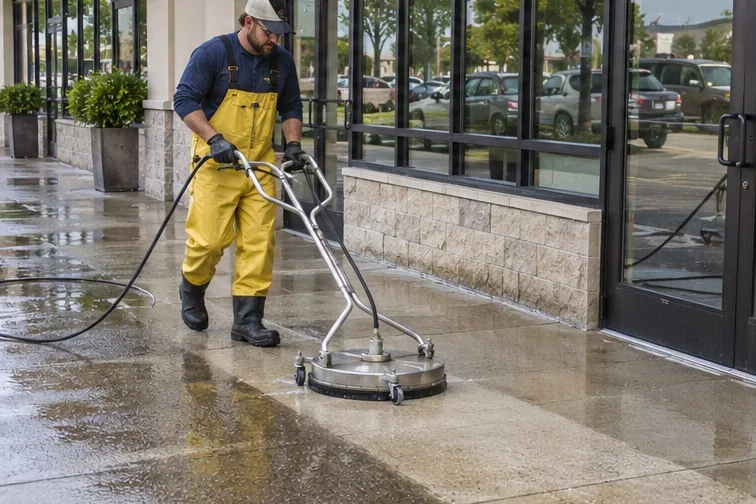
A commercial page gives the manager somewhere to send the address and timing. The office can ask for a photo or arrange a look at the site if the scope isn’t clear. The approved estimate can say where the work starts and stops. The manager can refer to that same conversation when the crew needs a different access time.
The next request might be for the same walk or a second property. The office can see what was approved at the first site and keep the new request attached to the correct address. One contact can have several active jobs without making them look like the same visit.
The route decides what fits on Friday
A customer might want a wash before a weekend gathering. The truck’s Friday route may already pass two streets away. A smaller job can make sense there if it fits between the visits already booked. A larger wash outside the area may need its own slot. The office can see the address and scope while it checks availability.
That’s where local search and the schedule meet. A driveway page can show work in nearby towns and give people a clear way to send a ZIP code. The company can see where requests are coming from and whether they turn into work the truck can reach without crossing the entire service area.
If the weather or another job moves the route, the office can send an update through the same number. The customer can see the new window beside the approved scope. The crew can still tell which wash was booked, even when the day looks different from the original schedule.
What a before-and-after can explain about the job
The quickest way to show a cleaned driveway can be two photos from around the same spot. The caption says whether the crew also washed the steps or the front walk. A visitor can see the result and get an idea of what the company means by a driveway wash.
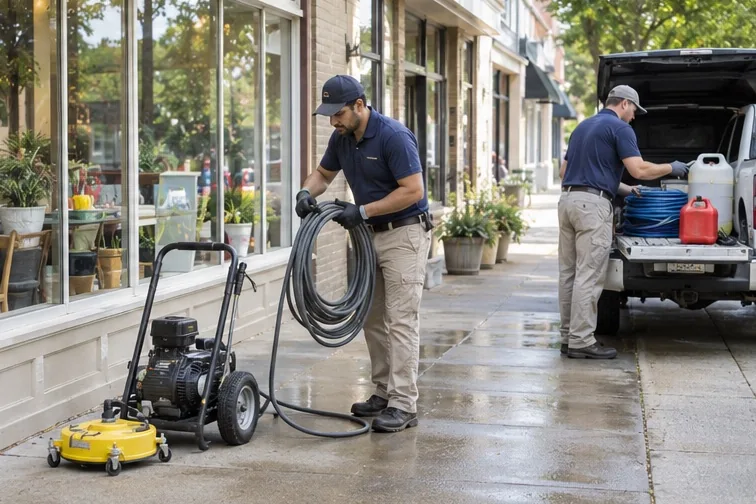
Photos of people working show a different part of the service. A technician washing a retaining wall and a crew cleaning a concrete walkway are doing different work. The relevant service page gives those photos a place with the scope and the number to call. It helps the owner recognize the job they’re asking about.
A review can speak to the rest of the visit. A customer may mention a heads-up about arrival, careful communication about the scope, or a change the office handled quickly. A review link after the job allows that experience to sit next to the work the next customer sees.
What happens after the first wash
A homeowner who booked for a special occasion may call back the following season. A shop may ask about the same walkway every few months. The office can see what was cleaned before, the notes about access and who approved it. The next request can start with what has changed rather than a repeat of the first call.
A seasonal message can be useful when a truck has room on a route and there are past customers nearby. Someone who already knows the company can ask about another wash by replying to the business number. The office can see where the last visit was and whether the new request fits.
An ad, a neighbor’s recommendation and a returning customer may all arrive in the same week. Quotes and booked jobs make it possible to separate the routes each one produced. A page that attracts a lot of calls well outside the area can look busy. A shorter list of requests that filled two local days is easier to schedule and easier to serve.
A schedule change can stay with the original wash
The office has booked a house wash for Thursday afternoon. On Wednesday the homeowner says the side gate will be locked until they get back. A note on the booking gives the crew a way to see the latest access information. If the time moves, the customer gets the update from the number that confirmed the work.
A commercial account can have a similar change when a delivery blocks the loading area. The manager can reply with the new window and the office can check whether it fits the route. The approved job scope doesn’t have to be rewritten because the access time moved.
A customer who later asks for a wash on the same surfaces can get a useful answer faster. The office can refer to the original work, confirm whether anything has changed, and see where the job could fit. The record is useful at the next booking as well as on the day of the wash.