
How a patio inquiry becomes a booked landscaping job
A homeowner wants a place to sit outside that stays usable after rain. They search for patio installation and land on a page with a similar yard. The page shows paver work, says which towns you build in, and gives them a quick way to ask for an estimate.
The office gets the address, a note about the slope, and a rough timeline. A short callback can confirm the scope before anyone drives out. At the visit, the estimator can discuss the surface, access for materials, and drainage. The quote then tells the homeowner what they are getting and when the work could start.
The homeowner might be choosing between layouts or waiting for a fence. The estimate and that conversation stay together, so there’s a clear place to pick up when they’re ready. After the project, a photo of the finished patio and a review can help the next homeowner see how the work turned out.
Maintenance routes and install calendars work differently
A crew mowing in one subdivision can sometimes fit another stop on the same street. A weekly job across town may use a slot that could serve several nearby customers. Maintenance and project pages can show different coverage when the trucks travel farther for a patio or a full yard install.

A planting and paver crew may book weeks out. Seasonal cleanup has a much shorter window. The customer can ask about dates before a site visit. When a yard project is still months away, the office can keep the timing with the request and pick it up closer to the start.
A cluster of approved patios from a few neighborhoods tells a different story than a stack of inquiries spread across the county. Real projects from those areas give the corresponding pages something concrete to show. The office can see the town and kind of work that went onto the schedule.
How SystemsPal supports landscaping quotes and routes
A 30-minute look at the website, phone and follow-up.
What the office sees when a landscaping lead comes in
A maintenance customer wants to know if the crew services their street and what a visit covers. An install inquiry often starts with a photo or a question about the yard. Both can start with a short reply from the business number, then go to the person who handles that work.
The property, timing and the last thing the customer asked for stay in one conversation. If an office coordinator books a visit for an estimator, the estimator can see the reference photos and the note about a narrow gate before driving over.
After the quote, maintenance work may need a start date and a note about access. A large yard project may need a second conversation about phases. The same inbox holds both, with the quote and its history visible when the customer calls back.
Pages for the work people want done in their yard
The lawn maintenance page can explain the regular visit, the start of service and what happens with gates or pets. A landscape installation page can show sod and planting work, then describe the site visit. Someone looking for a paver patio gets a page about hardscaping.
A wide photo shows how the patio fits the rest of the yard. A closer shot can show the edge, a finished corner or what changed around the slope. A short caption about the site gives a real project more meaning than a gallery of photos with no details.
A ZIP code, the kind of work and a few words about the yard give the office somewhere to start. A homeowner who’s just noticed water collecting around the patio may have a photo and a question. They don’t need to fill in a full project scope before they can reach someone.
Local search for lawn care, drainage and hardscaping
A homeowner searching for nearby lawn service is on a different page from someone comparing paver installers. We build around those service names and the areas your crew reaches. Route details and photo examples help the visitor see if the work fits.
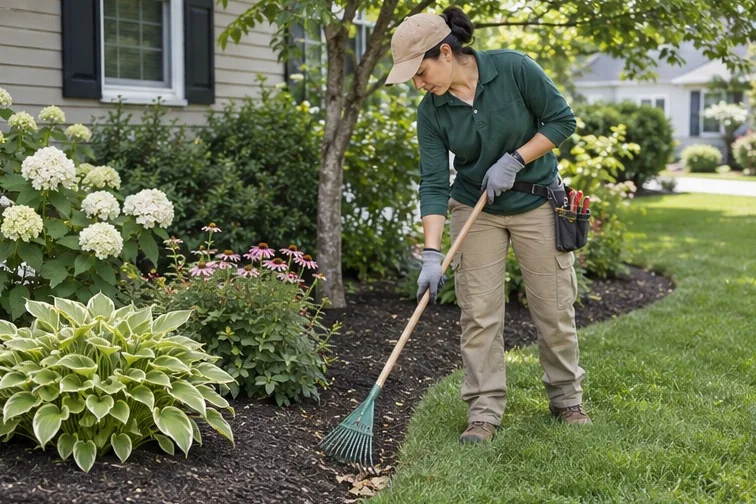
On Google, current hours, service details and work photos give a homeowner a quick look at the business. The website goes further, with examples of the yards you work on and the service available there. That could be regular mowing on one side of town and larger patio projects farther out.
If most of the calls from a page are for one-off mowing, the wording can explain that the crew handles ongoing maintenance. If the problem is distance, coverage can separate the maintenance route from the install area.
Missed-Call Text-Back · Lead Follow-Up
Where ads and referrals fit a landscaping schedule
A hardscaping ad can lead to finished patios and a form for an estimate. An installation crew with space in a particular service area can take those jobs without adding hours of driving. After the estimates go out, approvals and start dates show what the campaign actually brought in.
A neighbor often asks about a patio after seeing it in person. A link to the finished project gives the customer something to share, with the project details, service area and phone number in one place.
Fall cleanup can start with customers on streets the trucks already visit. A short message about an opening gives nearby customers a way to book with a crew they know. The office can see which replies became stops on the same route.
Finished yards, reviews and repeat work
Right after the handoff, the homeowner remembers what the crew did about the slope, what changed in the yard and how cleanup went. A review link makes it easy to describe that experience while the details are still fresh.
Spring bed work, a fall cleanup or an opening on an existing route are natural reasons to hear from the landscaper again. Customers can reply to the same number they already have. The office can see what the crew did last time and whether the request fits this season’s schedule.
What happens when several neighbors call in the same week
A finished patio can bring in a few calls from the same street. One neighbor asks about pavers, another wants to fix standing water, and a third just wants a price for mowing. The office can see the original project that brought them in and put each request on the right calendar. A nearby job is useful when it fits the crew that will actually do it.
The same thing happens with lawn routes. A customer who called about weekly mowing may come back about leaf removal after the trees drop. Their regular visits and access notes are already in the record. The office can see which truck will be nearby and offer the date that makes sense for both the customer and the crew.
A maintenance route is built one street at a time
A crew already mows six yards in the same subdivision on Wednesday. A new request comes from the next street. The office can see the address, ask about the gate and work out whether the crew has time to add it. The same-size yard on the other side of town may take the better part of an extra hour once there’s a drive and a place to park the trailer.
A lawn maintenance page gives customers a sense of where the crew goes and what a regular visit includes. The request can come in with a ZIP code and the kind of service they want. When the office calls, it can offer the schedule it actually runs. Someone who wants a one-time cleanup gets an answer about that work without being put into a conversation about weekly mowing.
As the route fills up, previous requests become useful again. A caller the crew couldn’t take in April may fit when a nearby account stops service. The original address and scope are still there. The office can see why the job didn’t book the first time and what has changed since then.
What a homeowner sees in a finished patio
One homeowner wants a place to put a table. Another wants a patio that connects the back door, the side gate and the lawn. Both may type patio installation into Google. A wide photo shows how the space works as a whole. A closer photo can show where the pavers meet the house or what the crew did around a step.
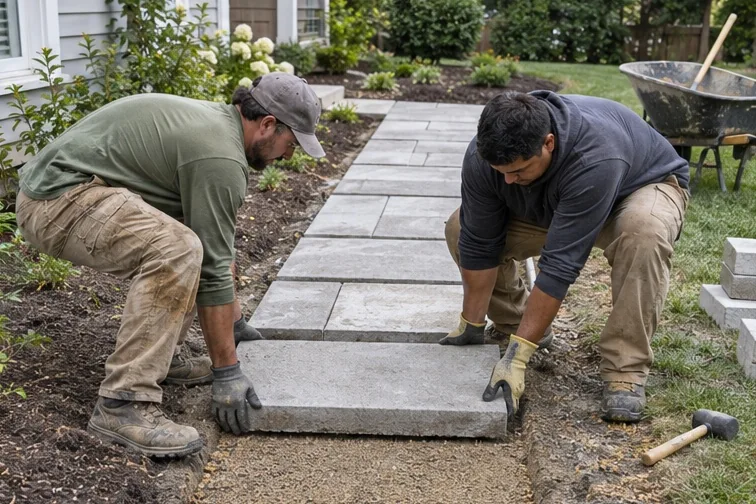
A project page can take a homeowner from that picture to a brief description of the site and a way to reach the office. A yard on a slope, a tight path for materials and a large open site come with different planning. Seeing past work with similar conditions gives the homeowner a useful starting point for the estimate.
The original inquiry might include several photos and a note about drainage. The estimator brings that context to the visit. The estimate and any revised layout can stay with the conversation while the customer talks it through at home. When the job is approved, the office can see which version the installation crew is going to build.
Drainage calls arrive with a different set of details
A homeowner sees water pooling after rain and sends a picture from the back door. They may call it a drainage problem or just say the yard stays wet for days. A drainage page can describe the situations the company works on and how a site visit starts. It gives the office a chance to see the address, photos and where the customer noticed the problem before anyone drives out.
The schedule for that work is part of the conversation. A drainage estimate may need a longer visit than a small planting request. Some customers are already planning a patio or sod and want to discuss the work together. A note about the rest of the project gives the estimator a way to explain which visits and quotes belong together.
If the owner waits until after a fence is moved, the office can keep that date on the inquiry. The next conversation starts with the yard the crew already discussed. The customer can send the update to the same number they used when the water first showed up.
Spring and fall bring work in batches
When spring breaks, the inbox can have requests for mowing, bed cleanup and full installations by lunchtime. The crew is out catching up on the first jobs of the season. A missed-call reply gives a homeowner a way to send the property and service details while someone is still on site. The office can see whether it’s a returning customer or a first request.
Fall cleanup runs on a tighter window than a patio estimate. A past maintenance customer may be asking about the same yard the crew visited all summer. A new customer may be out of range or need a larger cleanout. With both conversations visible, the office can see where there’s space before it promises a day.
A seasonal message makes sense when the company has work and room that fit the people receiving it. A customer on the Wednesday route can reply about leaf cleanup without making a fresh request through the website. The office still has the previous job and access notes. That’s how a new service can fit an existing route.
What counts as a good landscaping lead
A request for a retaining wall can be a strong lead even if it takes weeks to reach a signed scope. A request for mowing can be a good lead when it’s ready to go onto an existing route. Counting both as one request is useful for seeing how busy the phone was. It doesn’t show how the two jobs fit the business.
The office can keep the kind of service, neighborhood and outcome with each inquiry. A town that produces several patio estimates and no approvals looks different from one that gives the crew two jobs close together. It may take more than a week to see where the quotes land. The same timeline gives project jobs room to close while scheduled maintenance shows up sooner.
A finished yard brings its own referrals. A neighbor walking past can ask who did the work long before they look up a landscaper. The homeowner can share the project link. The office can see that the call came from a yard the crew already built. That gives the company a practical picture of which work is bringing the next job.